Humble SwingGet it

For iPhone

Everyone can see your swing except you.

Stand your phone behind you at the range. After every swing it tells you one thing to work on, out loud.

“Keep your hips back through impact.”
What it says after a swing, out loud.
Coming to theApp Store
See what it costs

Still being built. $19.99 once, when it lands.
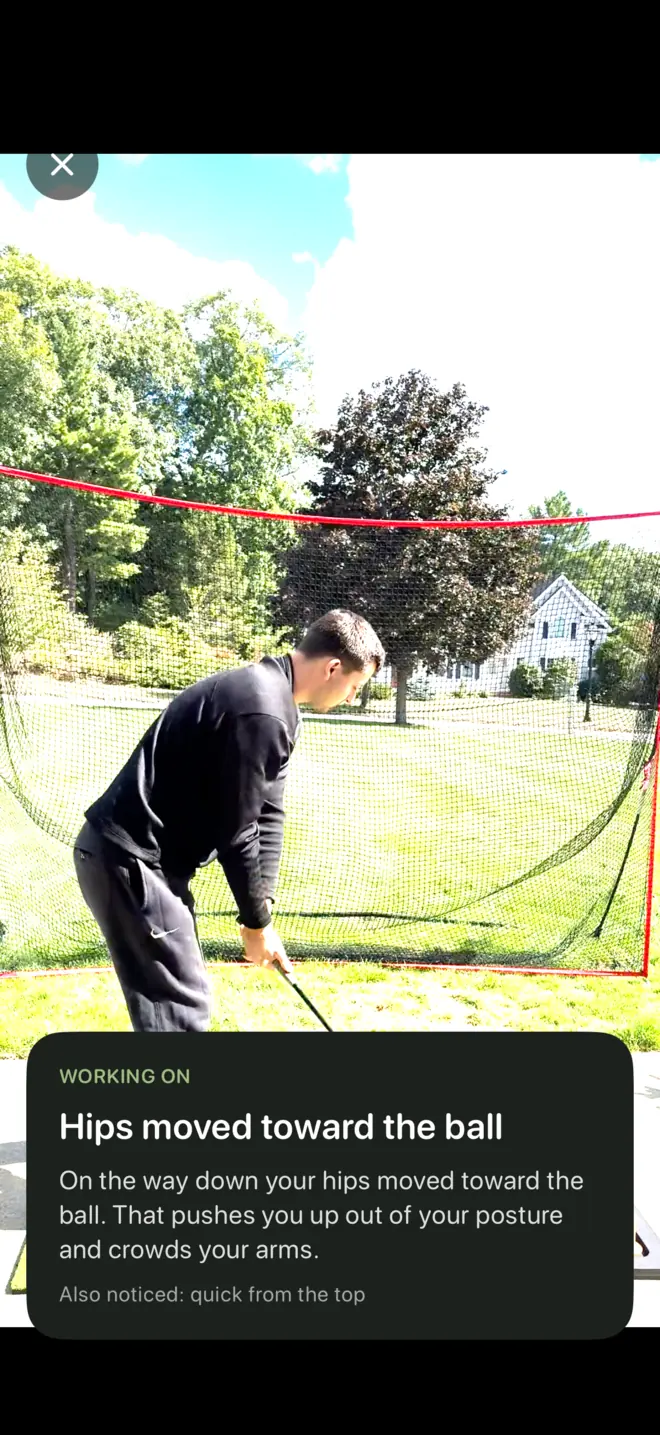
The range screen: a golfer over the ball, with a card reading 'Hips moved toward the ball — on the way down your hips moved toward the ball. That pushes you up out of your posture and crowds your arms.'

How it works

  1. 1

    Stand your phone behind you

    Any tripod or a bag will do. Humble Swing checks the framing and tells you if it needs to move.

  2. 2

    Hit a ball

    It finds the swing on its own — no tapping, no timer. Waggles and practice moves are ignored.

  3. 3

    Hear one thing to work on

    After the finish, it says a single cue out loud. Then it goes quiet so you can hit the next one.

Setting up

Stand it up once, then forget it

About hand height, ten to twelve feet back, looking down your target line. A small tripod is ideal and a golf bag will do. It checks its own framing and says out loud if it needs to move, so you never walk back to read the screen.
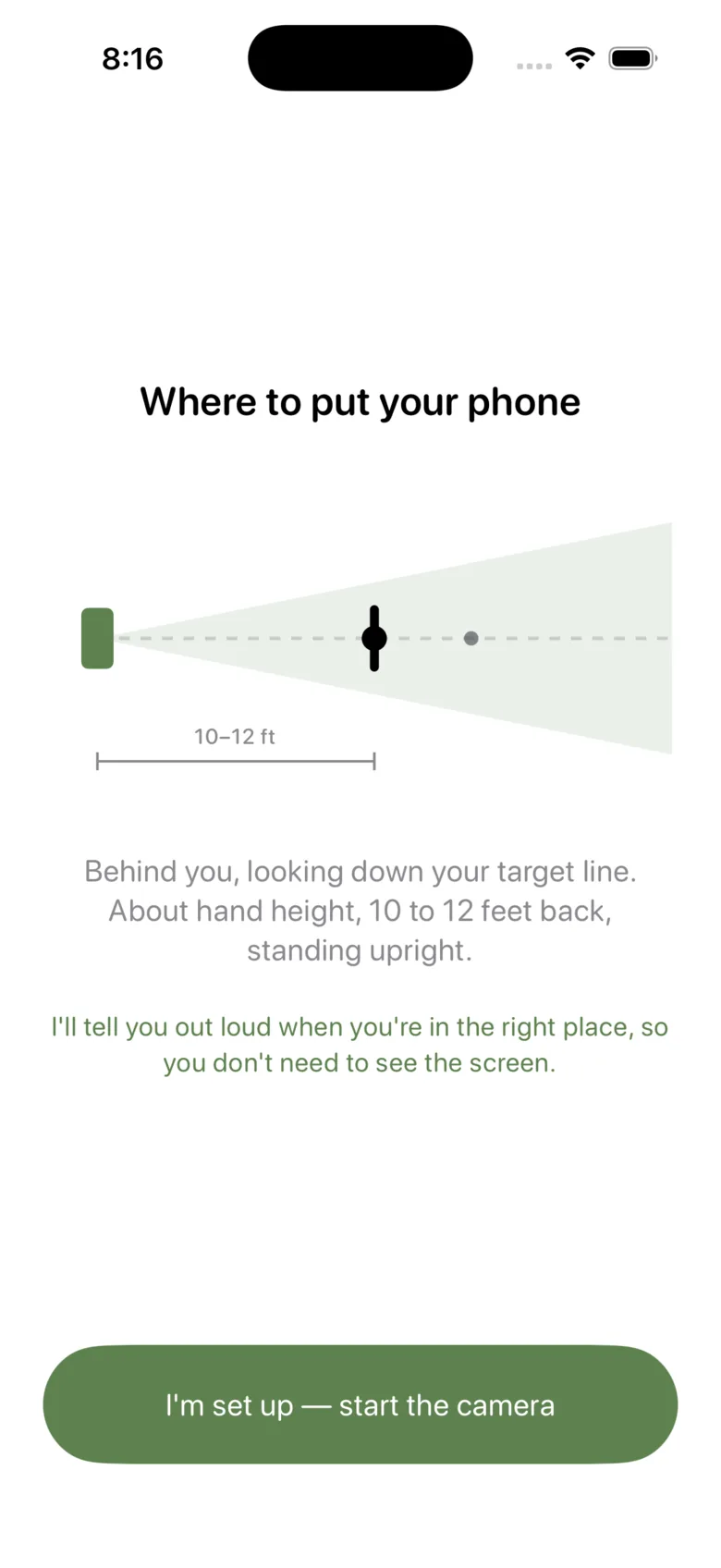
The setup screen: a diagram of the phone behind the golfer, and the instruction to stand it at hand height, 10 to 12 feet back, down the target line.

After every swing

One thing, said out loud

It finds the swing on its own — no tapping, no timer, and waggles ignored. When you have finished, it names the one thing worth fixing and shows the same words on screen, so you never hear one thing and read another.

One line, after the finish. Never during a swing — and if you have already addressed the next ball, it stays quiet and leaves the card on screen instead.
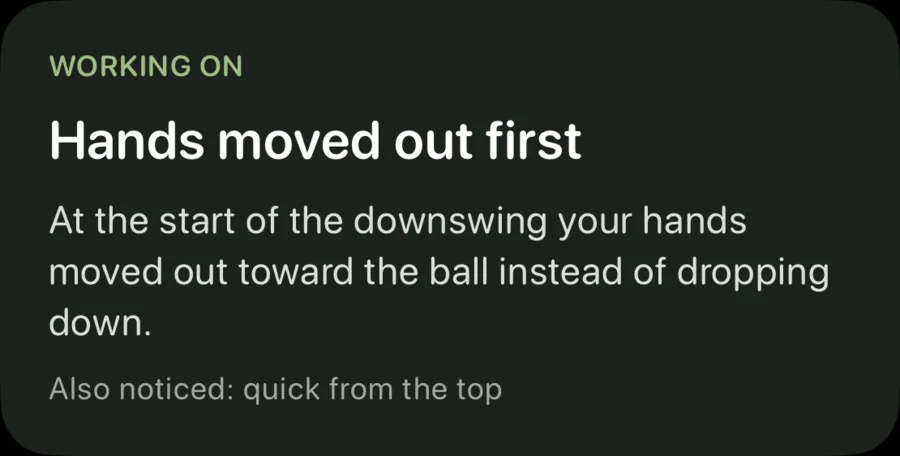
The card after a swing: "Hands moved out first — at the start of the downswing your hands moved out toward the ball instead of dropping down." Underneath, "Also noticed: quick from the top."
Shown on its own. In the app this sits over the live view of your swing.

When it keeps happening

A drill, not a lecture

If the same fault keeps showing up, it offers one drill you can do with what is already in your bag. Three steps, then back to hitting balls — stand your bag behind you, keep your backside touching it through impact, hit five.
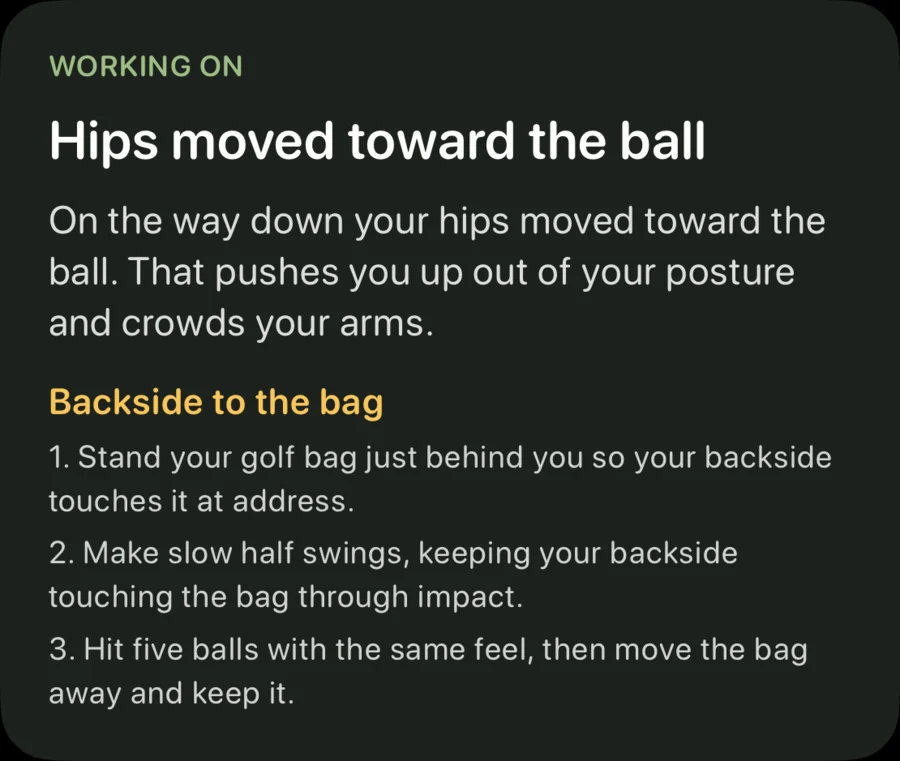
A card offering the "Backside to the bag" drill, with three steps to follow at the range.
Shown on its own. In the app this sits over the live view of your swing.

Afterwards

See what it saw

Every swing is kept in slow motion with the skeleton drawn over it and the key positions marked — address, top, impact, finish. Jump to any of them. It still works once the video is gone: the measurements outlive the footage.
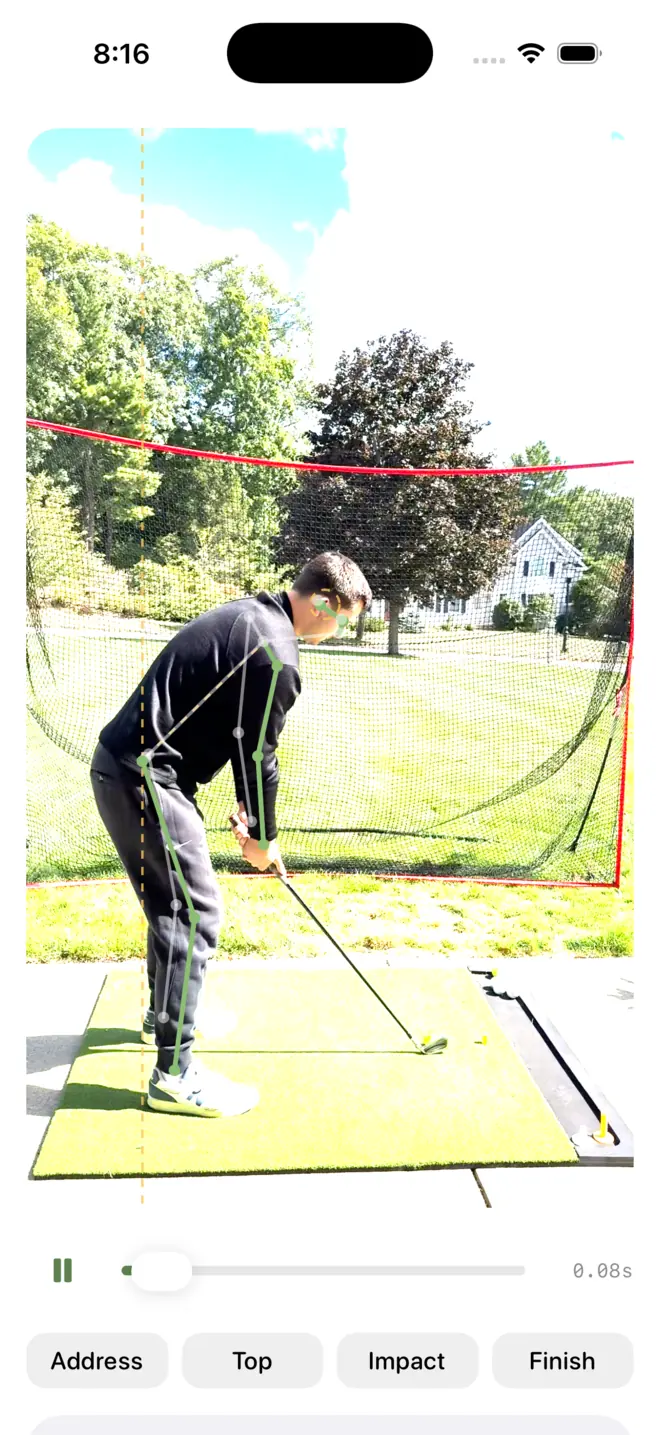
The replay screen: a golfer mid-swing in slow motion with the tracked skeleton drawn over him, and address, top, impact and finish marked along the bottom.

End of the session

Progress is the fault showing up less

No score, no grade, no streak. It counts how often your focus appeared early in the session against late — eight of your first ten, three of your last ten. That is the whole report, and when it stops appearing it moves to the next thing.
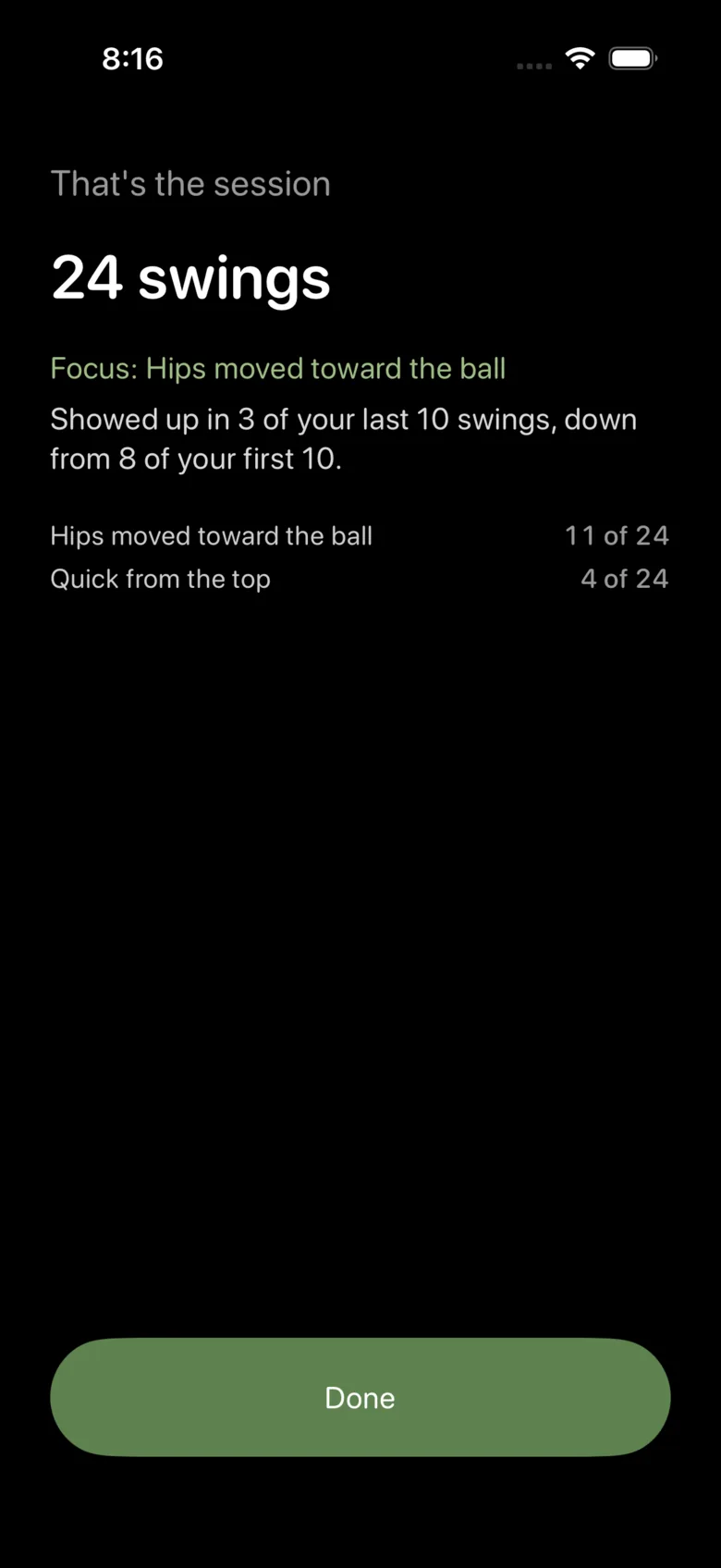
End of session: 24 swings, focus on hips moving toward the ball, down from 8 of the first 10 swings to 3 of the last 10.

A swing coach you buy, not rent.

Everyone else bills monthly because the analysis runs on their servers. Ours runs on your phone, so there is nothing to charge you for twice. Here is what three years of practice costs.

  • Swing Coachby Swing Intelligence, $119.99 / year$359.97
  • Sportsbox 3DGolfplayer plan, $109.99 / year$329.97
  • GolfFixadvanced plan, $99.99 / year$299.97

Humble Swing

$19.99

One payment. Not a year, not three years — ever. Family Sharing included.

Coming to theApp Store

One payment of $19.99, shared with your family, for good.

Competitor prices checked on 2 October 2026. Subscription apps change their pricing; these are what they cost on that date.

The only time it asks for money

That was your 10th free swing.

Unlock Humble Swing once and it's yours. Every swing, every drill, for good.

  • No subscription, ever
  • Shared with your family
  • Nothing leaves your phone

Unlock for $19.99

Keep using the free cameraRestore purchase

The slow-motion camera, replay and setup check stay free.

One screen, once. No countdown, no crossed-out price, nothing pre-selected, and no trial that turns into a subscription.

It watches your body, and says so

How you move is the part you can change first, and it’s the part one phone camera can see honestly. The rest we leave to the launch monitors.

What it looks at

  • Whether your hips move toward the ball coming down
  • Whether you hold your forward tilt through the ball
  • Whether your head stays level on the way down
  • Whether your hands drop before they move out
  • Your backswing timing against your downswing

What it can’t see

  • Your club, clubface or club path
  • Ball flight, carry or spin
  • Clubhead or ball speed

One camera cannot measure those honestly, so it doesn’t claim to. It also never gives your swing a score.
Questions

What do I need to use it?
An iPhone running iOS 26 or later — that’s an iPhone 11 or newer — and something to stand it on. A small tripod is ideal; a golf bag works.
Where does the phone go?
Behind you, looking down your target line, standing upright at about hand height and 10 to 12 feet back. The app checks its own framing and tells you if it needs to move.
Does it need a signal or wi-fi?
No. Every swing is analysed on the phone, so it works in airplane mode and in the dead spot at the back of your range. The app makes no network requests at all.
I’m left-handed.
It asks which way you swing when you set it up, and everything works the same either way.
Does it measure my club or where the ball went?
No, and it won’t pretend to. It watches how your body moves, which is what one phone camera can see honestly. Club, clubface, ball flight and speed are all out of reach, so we leave those to launch monitors.
What’s free and what costs money?
The first ten swings are analysed free, so you can check it works with your own setup before paying. After that, one payment unlocks it for good. The slow-motion camera, replay and setup check stay free either way, and the unlock is shared with your family.
Is there an Android, iPad or Apple Watch version?
Not in the first version. It’s an iPhone app, in portrait, and that’s the whole of it for now.
When is it out?
It’s still being built, and we’d rather finish it than announce a date we’d miss. It will appear on the App Store when it’s ready — there is no list to join and nothing to sign up for.

Made by one person

Humble Swing is made by Carmen Ferrara in Massachusetts, as part of Humble Media — a few small apps meant to be bought once and then left alone.

There is no subscription to renew, no account to make, and nothing that pings you to come back. That is not a feature list, it is just what happens when nobody is paid to keep you engaged.

humblemedia.net

It isn’t finished yet

Humble Swing is still being built, and slowly, because a coach that gets it wrong is worse than no coach at all. When it’s ready it will be on the App Store for $19.99, once.

Coming to theApp Store

There is nothing to sign up for. No list, no early access, no account — the same as it’ll be when it ships.